
Home Assistant Integration
Klokku Home Assistant Integration
Section titled “Klokku Home Assistant Integration”Home Assistant integration for Klokku allows you to read and control your current budget item from Home Assistant.
Prerequisites
Section titled “Prerequisites”- A running Klokku instance
- Home Assistant installation (>=2025.11.3)
Installation
Section titled “Installation”Using HACS (Recommended)
Section titled “Using HACS (Recommended)”- Make sure you have HACS installed in your Home Assistant instance.
- Click on HACS in the sidebar.
- Click on the three dots in the top right corner and select “Custom repositories”.
- Enter
klokku/klokku-home-assistant-integrationin the repository field, select “Integration” as the type, and click “Add”. - Search for “Klokku” and click on it.
- Click on “Download” in the bottom right corner.
- Restart Home Assistant.
Manual Installation
Section titled “Manual Installation”If you don’t use HACS, you can install the integration manually:
- Download the latest release from the GitHub repository.
- Extract the contents.
- Copy the
custom_components/klokkudirectory to your Home Assistant’scustom_componentsdirectory. - Restart Home Assistant.
Configuration
Section titled “Configuration”After installation, you need to configure the integration:
- Go to your Home Assistant instance.
- Navigate to Settings > Devices & Services.
- Click on the + Add Integration button in the bottom right corner.
- Search for “Klokku” and select it.
- You will be prompted to enter the following information:
- URL: The URL of your Klokku service (e.g., http://localhost:3001/)
- Username: Your Klokku username for authentication
- Click Submit to add the integration.
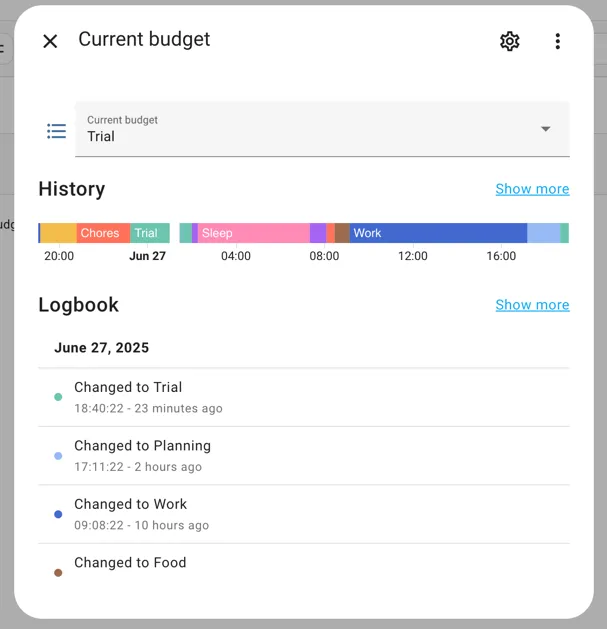
Once configured, the integration will fetch your current and other active budget plan items from Klokku and make them available in Home Assistant as a select entity.